
Cross stitch pattern maker: turn a photo into a chart
Free, no sign-up. Your photo stays on your device.
Your photoor drop it hereJPG, PNG or WebP
How it works
Photo to printed chart in three steps
Step 1
Choose a photo
A pet, a person or a place. It is read in your browser and never uploaded.
Step 2
Pick size and colours
You start with 80 stitches wide in 20 DMC colours on 14-count Aida. Move a slider and the chart redraws, then tidy stray stitches or swap a thread.
Step 3
Print your chart
Download a PDF with a symbol grid, bold lines every 10 stitches, centre marks and a thread key with skein counts.
Real output
Example: from picture to chart
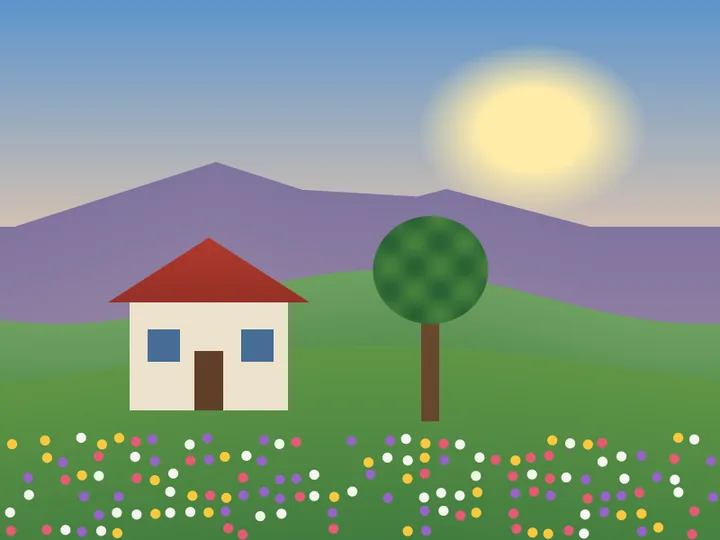
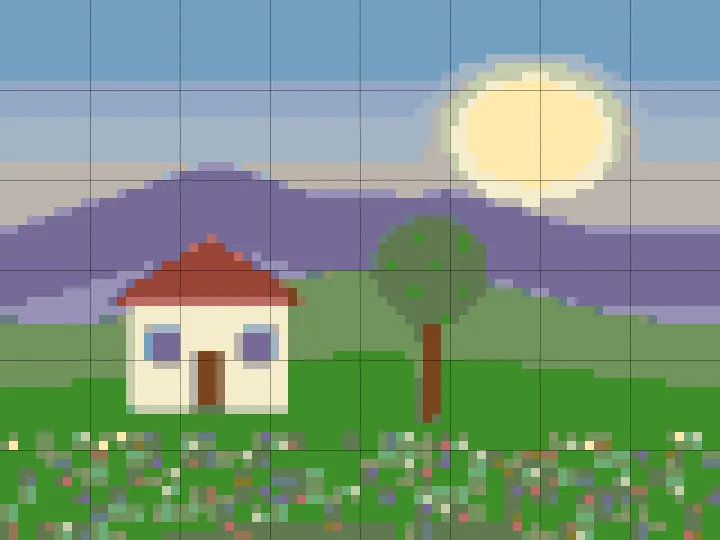
The sample picture above becomes 80 × 60 stitches in 20 colours: 5.7 × 4.3 in on 14-count Aida, using 20 skeins.
FAQ
Cross stitch pattern maker FAQ
Is this cross stitch pattern maker free?
Yes. Making a chart and downloading the PDF is free, up to 150 stitches wide and 40 colours. There are no ads and nothing to buy along the way.
Do I need an account?
No. Choose a photo and print your chart without signing up. You only need an account if you want to keep saved patterns on any device.
What fabric count should I use, and how big will it be?
Aida 14 means 14 stitches per inch, so the finished size is the stitch count divided by the fabric count. 80 stitches wide is about 5.7 in on 14-count, 5.0 in on 16-count, 4.4 in on 18-count. 100 stitches wide is about 7.1 in on 14-count, 6.3 in on 16-count, 5.6 in on 18-count. 150 stitches wide is about 10.7 in on 14-count, 9.4 in on 16-count, 8.3 in on 18-count. The size for your fabric shows under the chart as you change it.
How many skeins of floss do I need?
The PDF's thread key lists the stitches and skeins for every colour. We count one skein for about 1,800 full stitches on 14-count Aida with 2 strands, so buy one spare of colours you use a lot.
How many colours should I use?
15 to 20 suits most photos, and 10 to 20 an illustration with shading; our colours guide shows the same picture at each count. Each colour is matched to the closest DMC thread number; we are not affiliated with DMC.
Can I clean up the pattern?
Yes. Tap Tidy stray stitches to fold lone single stitches into the colour around them, and colours left with no stitches drop out of the key. Tap any thread in the key to replace it with another colour in the chart, which merges them, or with any DMC thread. You can undo each change, and the PDF and saved patterns keep it. Changing the size or colours rebuilds the chart from your photo and clears the clean-up. Photostitch is not a stitch-by-stitch editor, so you can't paint single stitches.
How do I print the pattern?
Tap Download PDF chart and print it at actual size on US Letter or A4. Each chart page holds up to 50 × 60 stitches with bold lines every 10, page numbers and centre marks, followed by the thread key.
Is my photo uploaded?
No. Your photo is processed in your browser and never uploaded or stored on our servers. If you upgrade mid-pattern, a copy is kept in this browser for up to 7 days so you can make the pattern bigger afterwards, and it is deleted once the bigger chart is made or when you sign out.
Pricing
Free to chart, Pro when you want more
Making a chart and downloading the PDF is free.
Pro: $7.99 a month or $79 a year
- Unlimited saved patterns. Reopen one to change its size, colours or fabric and print it again
- Bigger, more detailed charts, up to 300 stitches wide