
Part of Photo to Cross Stitch Pattern, Step by Step
How to Print Cross Stitch Patterns at Home
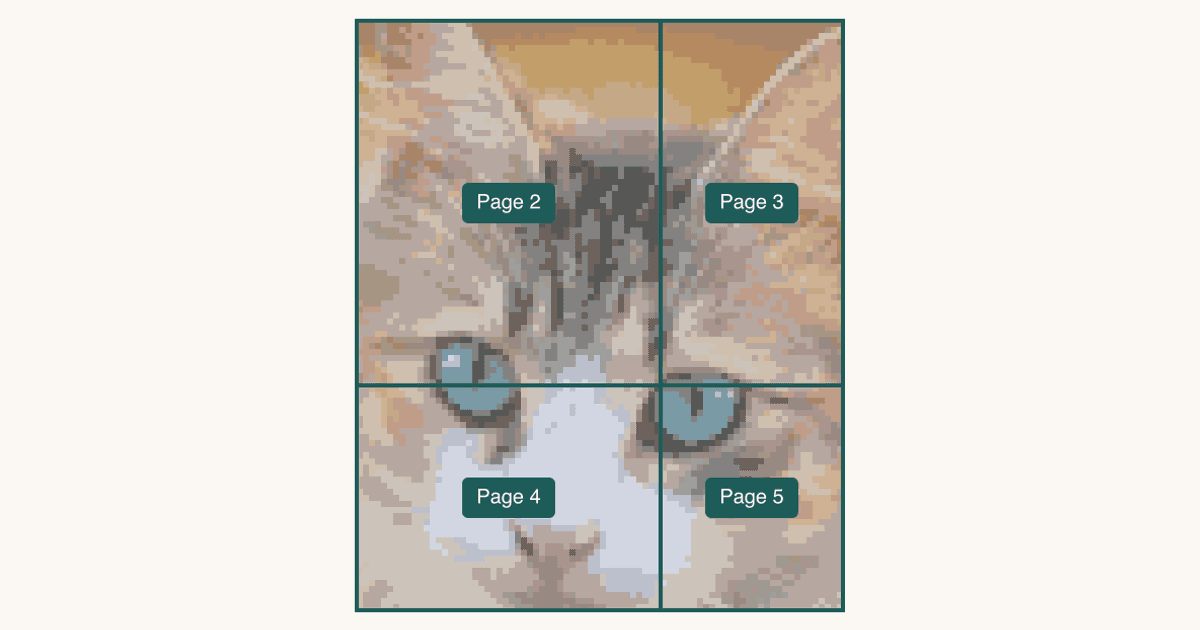
To print a cross stitch pattern at home, print the PDF at actual size, single-sided, and keep the pages in order by the column and row numbers on each one. A big pattern is split into several pages, so the symbols stay large enough to read.
Here is how many pages to expect, how the pages fit together, and how to keep them in one piece while you stitch.
How many pages will my pattern print on?
Each chart page in our PDFs holds up to 50 columns and 60 rows. An 80 x 97 chart takes 4 chart pages, and a 300 x 363 chart takes 42.
| Stitches | Chart pages | Size on 14-count |
|---|---|---|
| 50 x 60 | 1 | 3.6 x 4.3 in |
| 80 x 97 | 4 | 5.7 x 6.9 in |
| 100 x 121 | 6 | 7.1 x 8.6 in |
| 150 x 181 | 12 | 10.7 x 12.9 in |
| 200 x 242 | 20 | 14.3 x 17.3 in |
| 300 x 363 | 42 | 21.4 x 25.9 in |
The page count follows the area, not the width. Doubling the width from 150 to 300 stitches takes the chart from 12 pages to 42.
How do I print it so the squares stay square?
Choose "Actual size" or 100% in the print dialog, not "Fit to page". Fitting shrinks the grid, and the symbols get harder to read.
Our PDFs are US Letter size. On A4 paper, choose actual size as well; the chart grid is narrower than an A4 sheet, so only the margins change.
- Print single-sided, so you can lay pages side by side.
- Print in colour if you can. The shading helps you see shapes, but the symbols carry the real information.
- Print the cover page too. It shows the whole design and works as a map of the pages.
How do the pages fit together?
Each page header says which columns and rows it holds, and the grid numbers keep counting across pages. The pages don't repeat stitches, so match them by those numbers rather than by overlapping them.
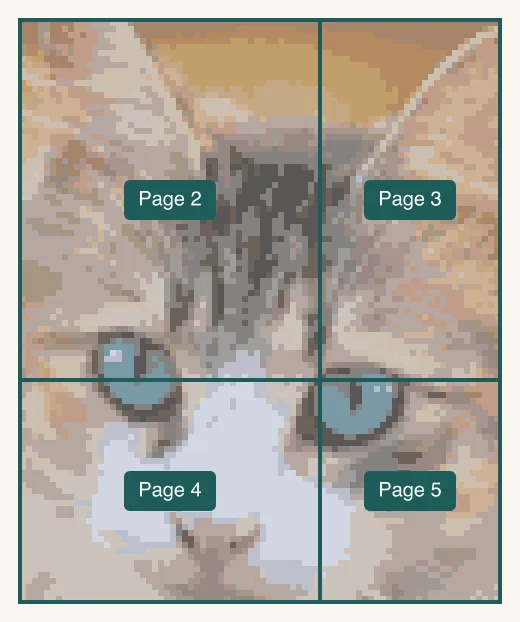
Work one page at a time and keep the neighbouring page next to it when you stitch near an edge. How to read a cross stitch pattern explains the grid numbers and centre marks in detail.
How do I stop a printed pattern wearing out?
Keep a clean copy and stitch from a second one. Folding and unfolding wears paper fastest, so store pages flat in a folder or in clear plastic sleeves.
- Highlight or tick each 10 x 10 block on the working copy as you finish it.
- A magnetic board or a clipboard keeps the current page flat beside your hoop.
- Lost a page? Reprint just that page number from the PDF.
To make a printable chart from your own photo, use our cross stitch pattern maker, which downloads the full PDF with the cover, every chart page and the key.
Photo: Tabby cat with blue eyes by AdinaVoicu, released under the CC0 1.0 Universal Public Domain Dedication. We cropped it and charted it with Photostitch.

Chart your own photo
Next: read the full guide, Photo to Cross Stitch Pattern, Step by Step.